
In the previous article, I introduced you to 🎭 Playwright. Compare the performance of different test parallelization approaches. Now, I shift the focus to test parallelization with the sharding approach, which plays a vital role in accelerating test execution using Playwright as a test framework.
The topic of parallel test execution has always interested other test automation engineers and me, regardless of the automated testing tools we use. In this article, I explain how Playwright works with parallelism and offer recommendations based on my research and analysis.
To properly understand parallelism in Playwright, we need to take a quick look at low-level computer architecture.
I promise it won’t take long, but it might be a bit boring.
Our computer (my and yours) consists of various components, such as a hard drive, RAM, and a processor, etc. Here, we are most interested in the processor, specifically its “Clock Speed” and the number of cores. Cores play an important role in the simultaneous execution of parallel processes. “Clock Speed” determines how much work the processor can do in a given time. Here’s more information: What Is Clock Speed?
The following scheme provides us with greater visualization capabilities that we will apply to our Playwright parallelization mechanism:
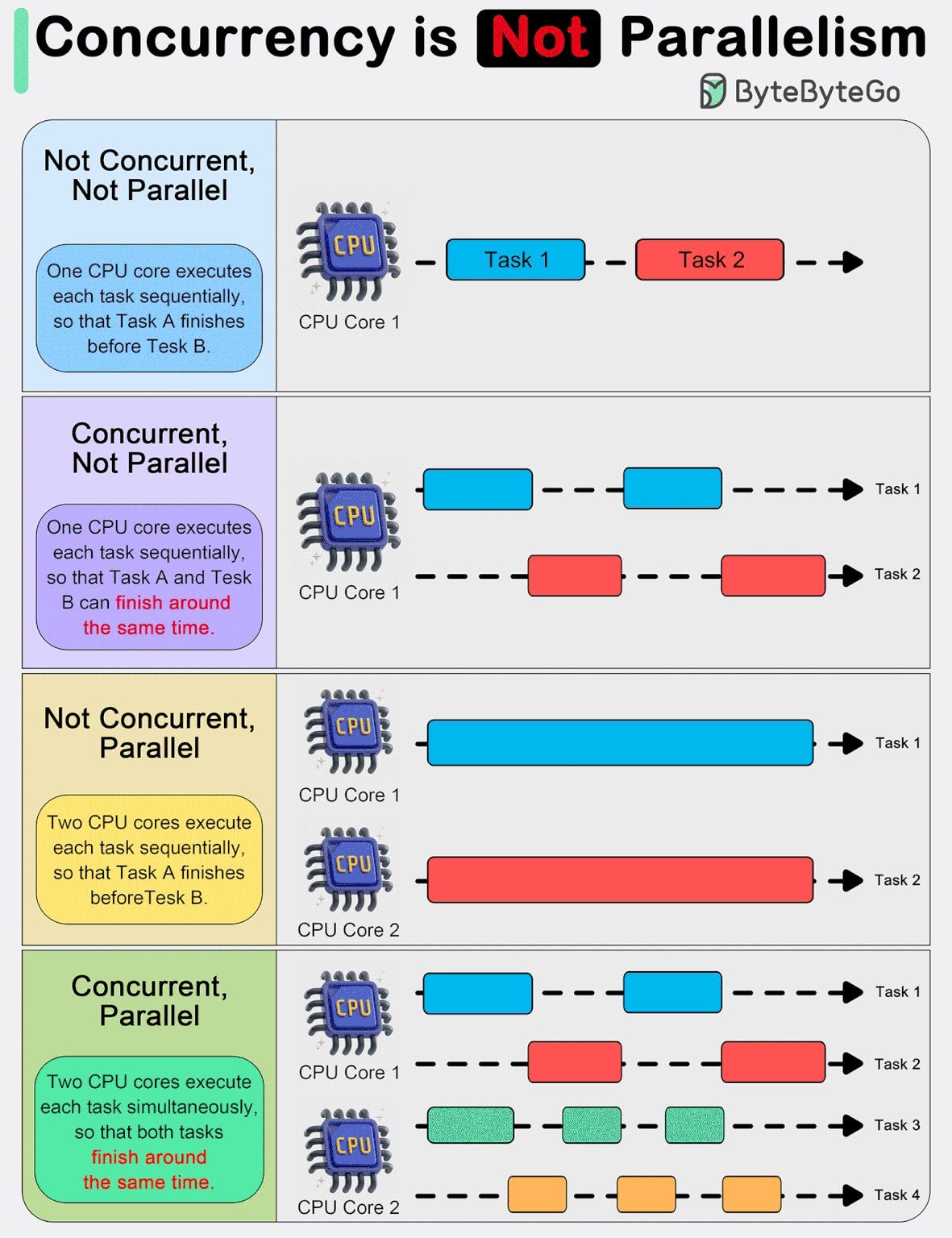
When we use Playwright on one computer with the --workers= flag to run our tests in parallel, a Node.js process will be created for us. More information about processes can be found here.
There is a clear dependency between workers and processor cores here. If there are fewer workers than cores, everything will work properly. As shown in the diagram, everything will execute in parallel at the same time.
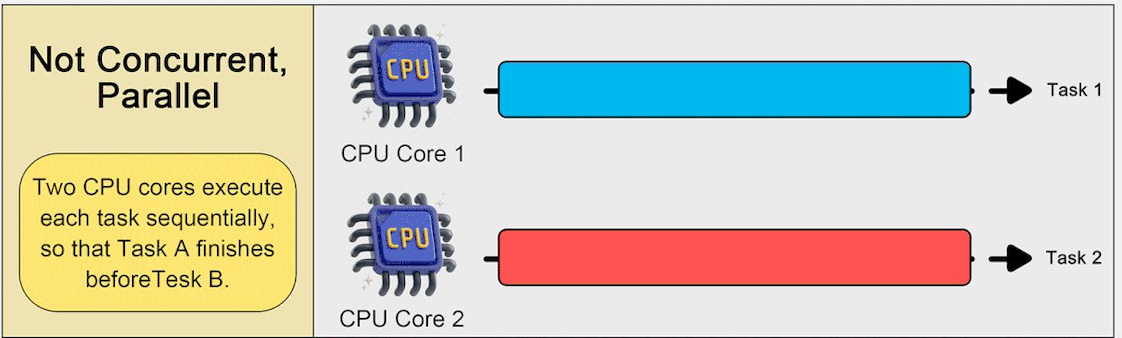
However, if we have 4 workers and 2 processor cores, certain workers will not run truly in parallel. Not everything will run at the same time, but processor time will be shared.
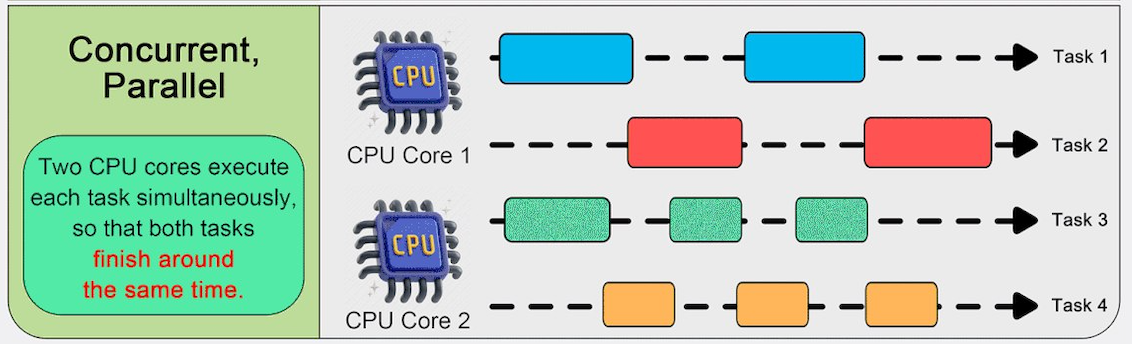
For example, on a CI/CD runner where we run our tests with more workers than available cores, we will not see an improvement in test execution time. This is because the workers share the processor time on the available cores. Even though we specify 10 or 20 workers.
You ask, “What should I do in this case?” It’s simple: Add additional runners using the sharding mechanism. For each runner, you can specify the number of workers based on the number of cores available on the processors. More information about sharding here
Here is an example of how to describe the sharding mechanism in GitHub Actions:
1
2
3
4
5
6
7
8
9
10
11
12
13
14
15
16
17
18
19
20
21
22
23
24
25
26
27
e2e_tests:
  timeout-minutes: 60
  runs-on: ubuntu-latest
  env:
    CI: true
  strategy:
    fail-fast: false
    matrix:
      shardIndex: [1, 2, 3, 4]
      shardTotal: [4]
  steps:
    - name: Checkout repository
      uses: actions/checkout@v2

    - name: Setup Node.js
      uses: actions/setup-node@v2
      with:
        node-version: '22'

    - name: Install E2E dependencies
      run: npm ci

    - name: Install Playwright browsers
      run: npx playwright install --with-deps

    - name: Run regression tests
      run: npx playwright test --shard=$/$ --workers=2
In such an example, 4 runners (computers) and 2 workers for each. So we have 8 truly parallel processes.
Summary
In summary, we can continuously improve the execution time of our tests by adding more runners (computers), provided that we follow best practices when developing and designing tests with an independent architecture.
I hope this article has shed some light on the obscure area of parallelization. Improve your test execution times, and remember about processor cores)